
Compress - Photos & Videos
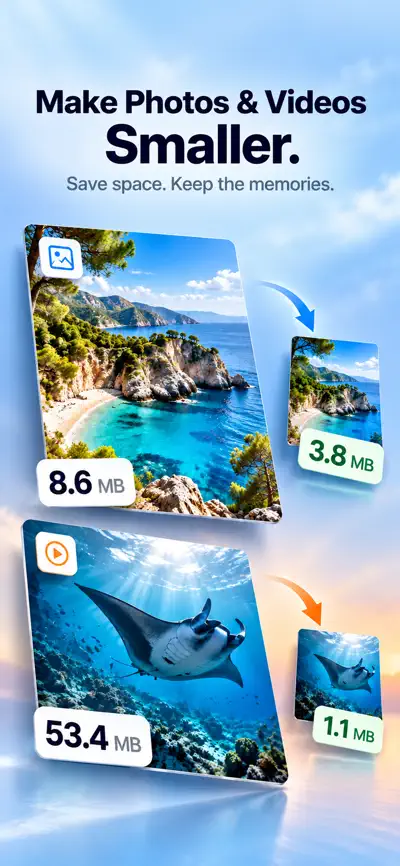
Image Resizer & Size Reducer. Make your photos and videos smaller without the hassle. Compress - Photos & Videos shrinks file sizes, resizes images, and shows you exactly how much space you saved, all right on your iPhone.


Highlights
- 01
Reduce photo file size in a few taps
- 02
Choose from High, Medium, or Low quality
- 03
Process multiple photos at once
- 04
Works with JPEG, PNG, and HEIC photos
From the official App Store description.
Screenshots
iPad


About Compress
Read the full App Store description
Make your photos and videos smaller without the hassle. Compress - Photos & Videos shrinks file sizes, resizes images, and shows you exactly how much space you saved, all right on your iPhone.
COMPRESS PHOTOS
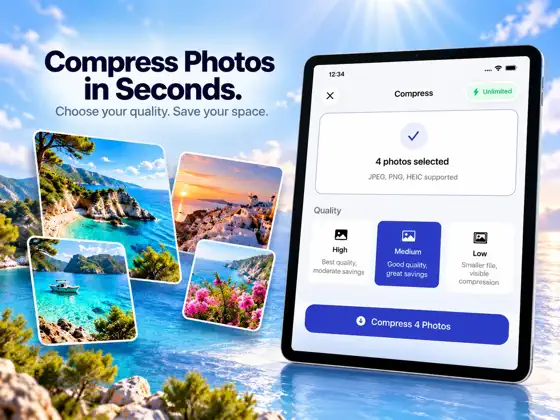
- Reduce photo file size in a few taps
- Choose from High, Medium, or Low quality
- Process multiple photos at once
- Works with JPEG, PNG, and HEIC photos
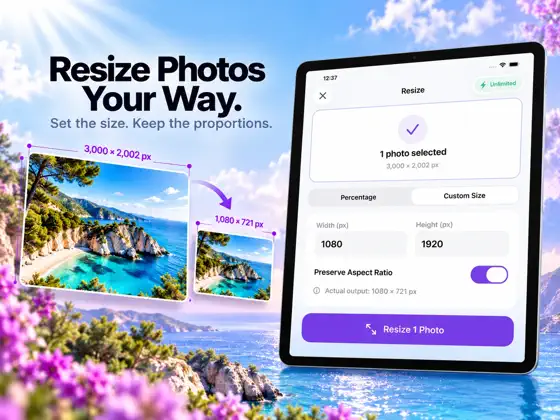
RESIZE PHOTOS
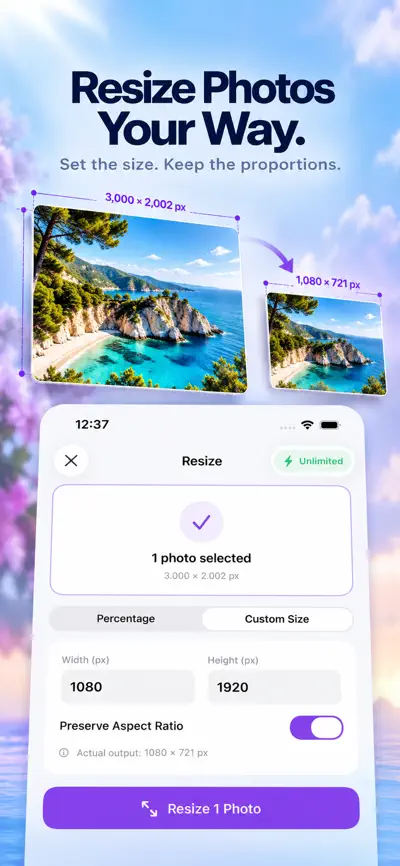
- Resize by percentage for quick, proportional changes
- Enter custom width and height for exact dimensions
- Keep the aspect ratio locked, or adjust it yourself
- See the final output size before you save
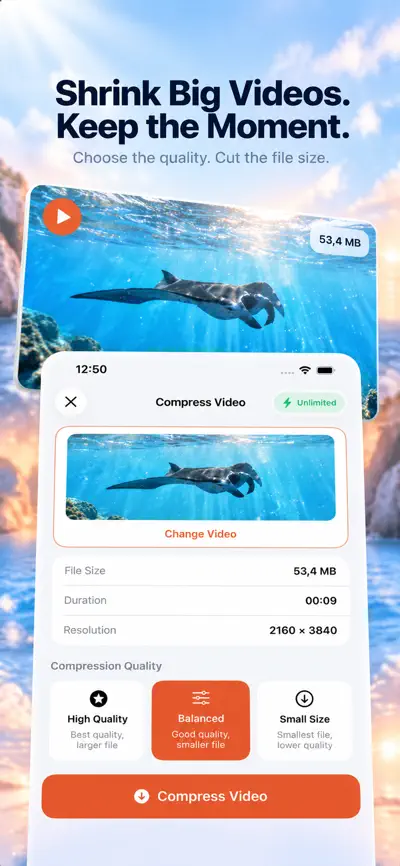
COMPRESS VIDEOS
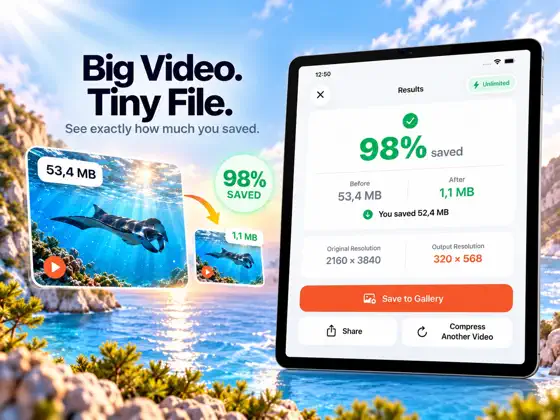
- Reduce video file size while keeping it watchable
- Pick High Quality, Balanced, or Small Size
- Follow real-time progress and cancel any time
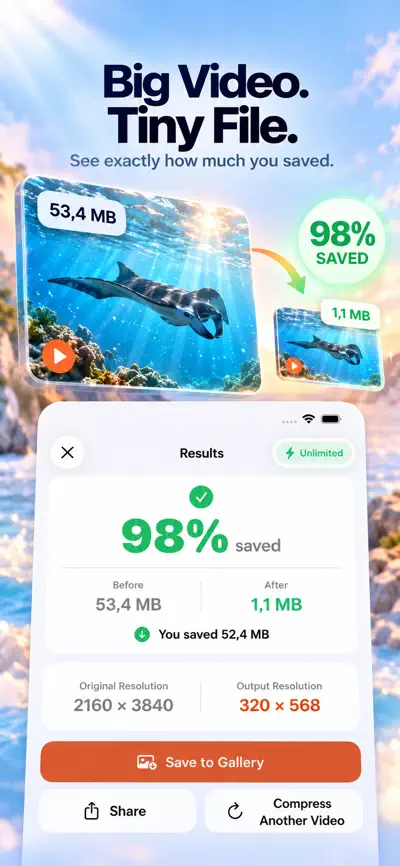
- Check the new resolution and file size when it's done
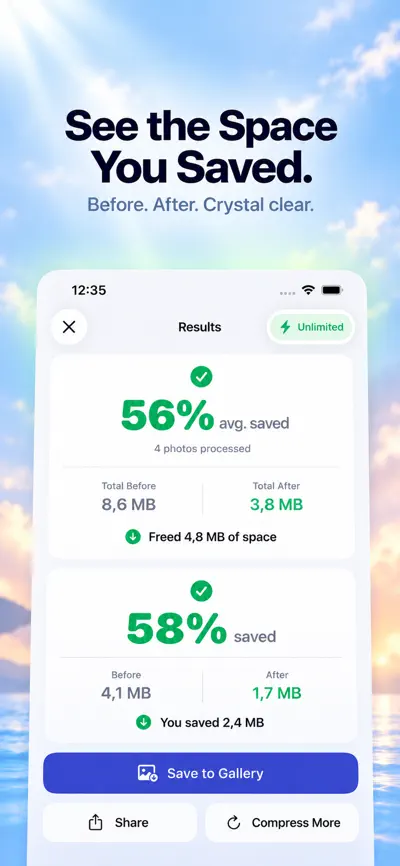
SEE THE RESULT
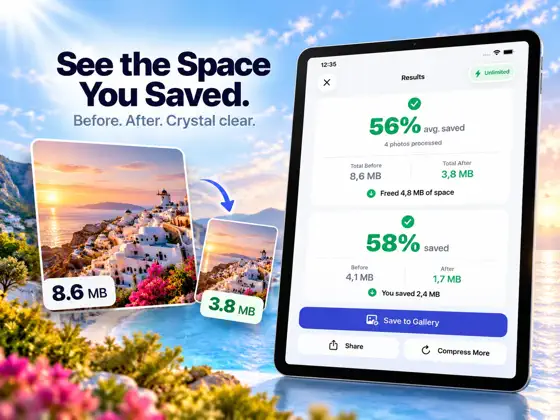
After every export you get a clear before-and-after comparison: original size, new size, and the space you saved. The numbers are calculated from your actual files.
SAVE OR SHARE INSTANTLY
- Save compressed photos and videos straight to your Photos library
- Share them through Messages, Mail, AirDrop, and more
PRIVATE BY DESIGN
Your photos and videos are compressed and resized on your device. They are not uploaded for processing, and no remote processing service is needed.
FREE TO TRY, PREMIUM WHEN YOU NEED MORE
Your first successful export is free. Premium unlocks unlimited use and larger batches, and is available as a weekly subscription, a yearly subscription, or a one-time lifetime purchase.
Subscriptions renew automatically unless canceled at least 24 hours before the end of the current period. You can manage or cancel them anytime in your Apple Account settings. Payment is charged to your Apple Account at confirmation of purchase.
Free up space, send files faster, and fit uploads and email limits with one simple app.
What people use Compress for
- Free up space on your iPhone
- Send photos and videos faster
- Fit upload and email size limits
- Resize images to exact dimensions
From the official App Store description.
Questions and answers
Which photo formats does Compress support?
Compress works with JPEG, PNG and HEIC photos.
Can I choose the quality level?
Yes. For photos you can choose High, Medium or Low quality. For videos you can choose High Quality, Balanced or Small Size.
Can I resize a photo to exact dimensions?
Yes. You can resize by percentage, or enter a custom width and height. You can keep the aspect ratio locked or change it, and you see the final output size before you save.
Can I compress several photos at once?
Yes. Compress can process multiple photos at once. Premium unlocks larger batches.
How do I know how much space I saved?
After every export, Compress shows a before-and-after comparison with the original size, the new size and the space saved. The numbers are calculated from your actual files.
Are my photos and videos uploaded?
No. Your photos and videos are compressed and resized on your device. They are not uploaded for processing.
Is Compress free?
Your first successful export is free. Premium unlocks unlimited use and larger batches. It is available as a weekly subscription, a yearly subscription or a one-time lifetime purchase. In-app purchases listed on the US App Store: Weekly Pro ($2.99), Lifetime Pro ($99.99), Yearly Pro ($49.99).
Which devices does Compress work on?
Compress works on iPhone and iPad and requires iOS 17.0 or later, according to its App Store listing.
Answers are based on the official App Store listing (version 1.2.0). Need help with a problem? Visit Compress support.
Information
- Publisher
- EEB CONSULTANCY LLC
- Category
- Utilities
- Compatibility
- iPhone and iPad · iOS 17.0 or later
- Languages
- 15 languages
Arabic, Chinese, Dutch, English, French, German, Hindi, Indonesian, Italian, Japanese, Korean, Portuguese, Russian, Spanish, Turkish - Age rating
- 4+
- Price
- Free
- In-app purchases
- Weekly Pro — $2.99
- Lifetime Pro — $99.99
- Yearly Pro — $49.99
- Size
- 13.6 MB
- First released
- Jun 4, 2026
Details from the US App Store, checked Nov 17, 2026. Prices can vary by country.
What’s new
We've improved app performance and stability for a faster, smoother experience.