
Home Lab AI: Interior Design
Room Makeover & Remodel Ideas. Take a photo of your room and see it reimagined in a new style.

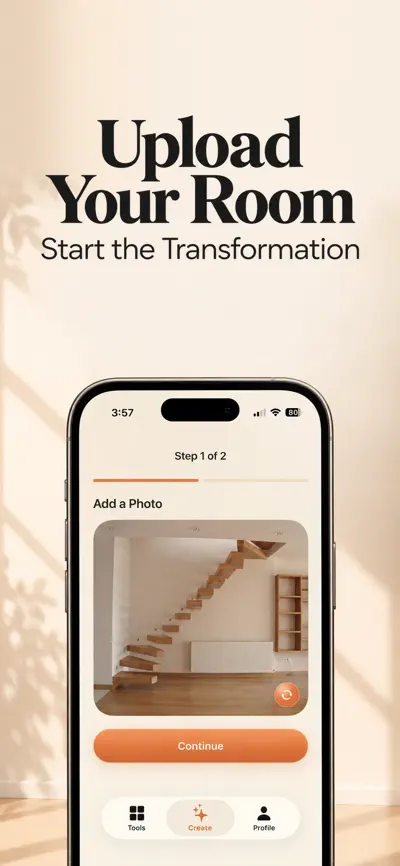
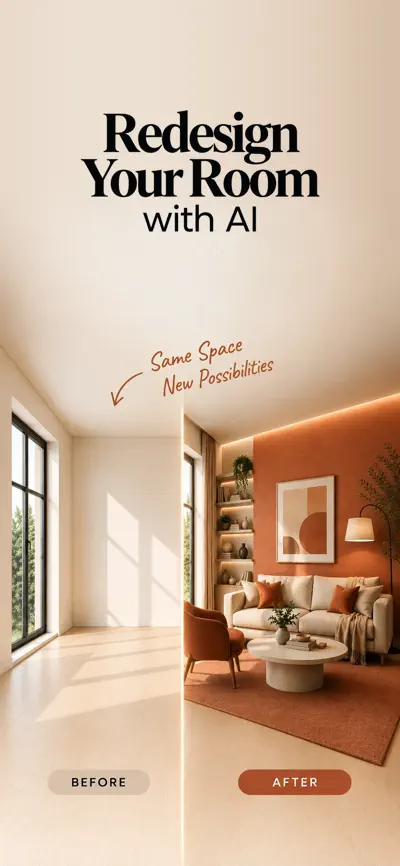
Highlights
- 01
Take a photo of your room or choose one from your library.
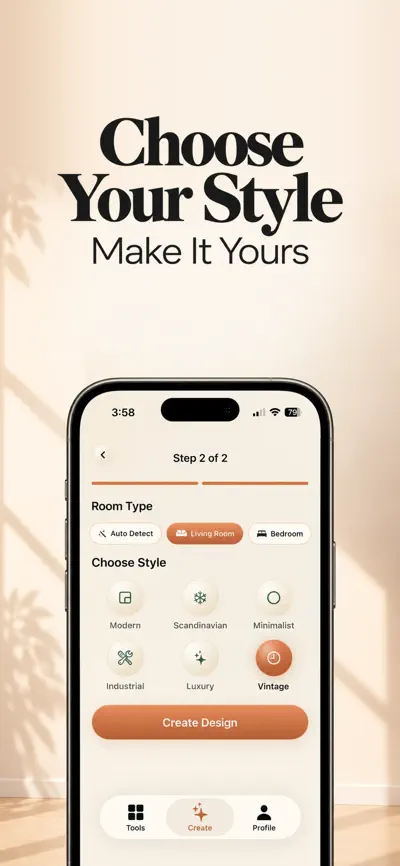
- 02
Select the room type, or let the app detect it automatically.
- 03
Pick the interior design style you want to try.
- 04
AI generates a redesigned version of the same room.
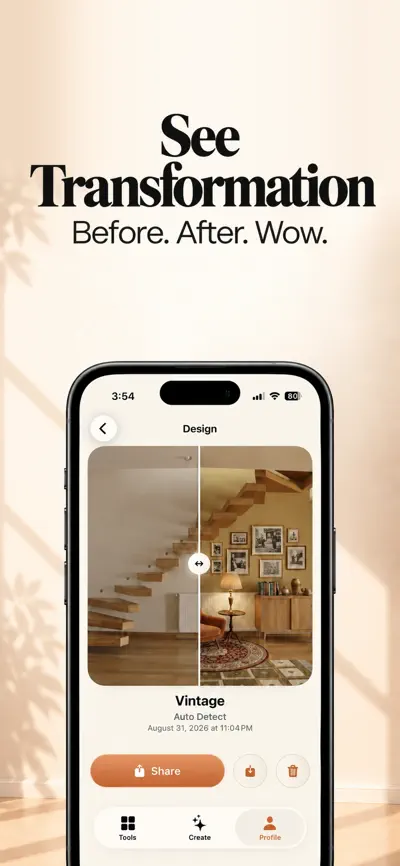
- 05
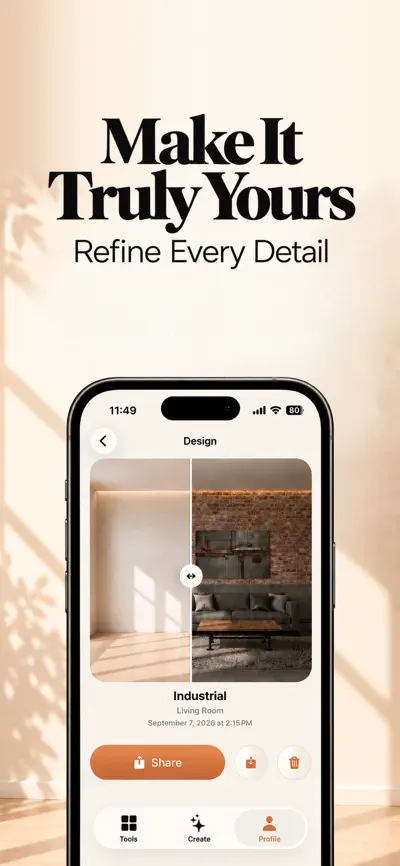
Compare your original photo and the new design with the interactive before-and-after view.
From the official App Store description.
Screenshots
About Home Lab AI
Read the full App Store description
Take a photo of your room and see it reimagined in a new style.
Home Lab AI uses AI to redesign the room you actually live in. Upload a photo of your living room, bedroom, or kitchen, choose an interior design style, and see the same space with a completely new look. It's an easy way to explore decor ideas before a move, a remodel, or a simple refresh.
HOW IT WORKS
- Take a photo of your room or choose one from your library.
- Select the room type, or let the app detect it automatically.
- Pick the interior design style you want to try.
- AI generates a redesigned version of the same room.
- Compare your original photo and the new design with the interactive before-and-after view.
WHY BEFORE AND AFTER?
Seeing your current room right next to its redesign makes the difference obvious at a glance. You judge each style in your own space, with your own layout and light, instead of in someone else's showroom photo.
EXPLORE DIFFERENT STYLES
- Choose from multiple interior design styles.
- Regenerate a design to get a different result.
- Try several styles on the same room and compare them before you decide.
SAVE AND SHARE
- Save the designs you like and revisit them anytime in your design history.
- Share results with family, friends, or anyone helping with your project.
GOOD TO KNOW
AI-generated designs are visual concepts meant to help you explore ideas. Actual results in your home may differ.
SUBSCRIPTION
Home Lab AI is free to download. Full access is available with a weekly or yearly auto-renewable subscription.
- Payment is charged to your Apple ID account at confirmation of purchase.
- Your subscription renews automatically unless auto-renew is turned off at least 24 hours before the end of the current period.
- Your account is charged for renewal within 24 hours before the end of the current period.
- You can manage your subscription and turn off auto-renew in your App Store account settings after purchase.
PRIVACY POLICY
https://eebconsultancy.github.io/home-lab-ai/privacy/
TERMS OF USE
What people use Home Lab AI for
- Explore decor ideas before a move
- Preview a remodel before you commit
- Plan a simple room refresh
- Compare several styles in your own room, with your own layout and light
From the official App Store description.
Questions and answers
What does Home Lab AI do?
Home Lab AI uses AI to redesign the room you actually live in. You upload a photo of a room such as a living room, bedroom or kitchen, choose an interior design style, and see the same space with a new look. It is a way to explore decor ideas before a move, a remodel or a simple refresh.
How do I create a room redesign?
Take a photo of your room or choose one from your library. Select the room type, or let the app detect it automatically. Pick the interior design style you want to try. The AI then generates a redesigned version of the same room, and you can compare the original photo and the new design in the before-and-after view.
Can I try several styles on the same room?
Yes. You can choose from multiple interior design styles, regenerate a design to get a different result, and try several styles on the same room to compare them before you decide.
Can I save and share my designs?
Yes. You can save the designs you like and revisit them in your design history. You can also share results with family, friends or anyone who helps with your project.
Will my room look exactly like the AI design?
Not necessarily. AI-generated designs are visual concepts that help you explore ideas. Actual results in your home may differ.
Is Home Lab AI free?
Home Lab AI is free to download. Full access is available with a weekly or yearly auto-renewable subscription. You can manage the subscription and turn off auto-renew in your App Store account settings after purchase. In-app purchases listed on the US App Store: Home Lab AI Premium ($39.99), Home Lab AI Premium ($6.99).
Which devices does Home Lab AI work on?
Home Lab AI works on iPhone and iPad and requires iOS 17.0 or later, according to its App Store listing.
Answers are based on the official App Store listing (version 1.0.1). Need help with a problem? Visit Home Lab AI support.
Information
- Publisher
- EEB CONSULTANCY LLC
- Category
- Graphics & Design
- Compatibility
- iPhone and iPad · iOS 17.0 or later
- Languages
- 15 languages
Arabic, Chinese, Dutch, English, French, German, Hindi, Indonesian, Italian, Japanese, Korean, Portuguese, Russian, Spanish, Turkish - Age rating
- 4+
- Price
- Free
- In-app purchases
- Home Lab AI Premium — $39.99
- Home Lab AI Premium — $6.99
- Size
- 9.9 MB
- First released
- Sep 23, 2026
Details from the US App Store, checked Nov 17, 2026. Prices can vary by country.
What’s new
Home Lab AI now speaks more languages, so you can use the app in the language you prefer.