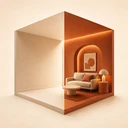
For a useful AI interior redesign, take a bright, level photo from a corner or doorway that shows as much of the room as possible. The AI works from what is in the photo, so the clearer the room's shape, windows and main furniture are, the easier it is to judge each new style in your own space.
1. Choose the light
- Take the photo in daylight if you can. Open curtains and blinds.
- Switch on the lights you normally use in the evening if the room is dark.
- Avoid shooting straight into a bright window. The room can appear too dark next to it.
2. Choose where to stand
- Stand in a corner or the doorway, so the photo shows two or three walls.
- Hold the phone at about chest height.
- Step back as far as the room allows. The photo should show the floor, the walls and the main pieces of furniture.
3. Keep the phone level
Tilting the phone up or down makes walls lean in the photo. Hold it straight, and use the camera grid if you have it turned on, so vertical lines stay vertical.
4. Clear the small things
Put away small clutter on tables, counters and the floor: cables, bags, dishes, laundry. Keep large furniture where it is if you plan to keep it. The goal is to show the room, not what happens to be lying in it.
5. Take several photos
Take two or three photos from different corners. One angle may show the layout better than another. You can then try the same style on each and pick the view that shows the change best.
6. Redesign and compare
In Home Lab AI, take a photo or choose one from your library, select the room type (or let the app detect it), and pick a style. The app generates a redesigned version of the same room, and you can compare it with your original photo in a before-and-after view. You can regenerate a design for a different result and try several styles on the same photo.
AI-generated designs are visual concepts. Home Lab AI's App Store listing notes that actual results in your home may differ.
Good to know
- Keep the original photos. They are useful to compare with the finished room.
- For the next steps, from ideas to a practical plan, see How to plan a room makeover by trying styles on a photo of your room.